How to Set Up Smart Lighting for a Refined Home
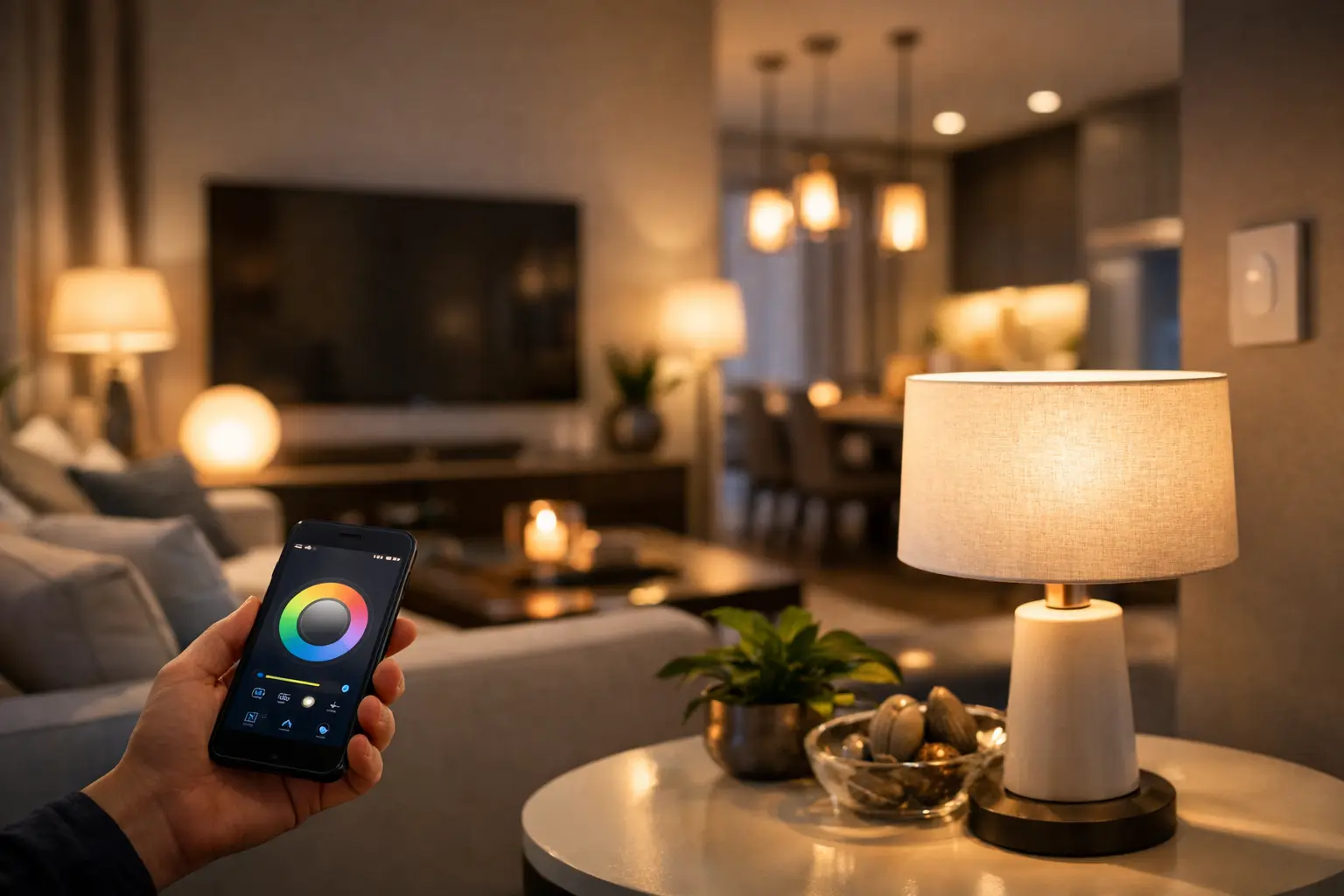
A beautifully lit room does more than make a home easier to navigate. It gives your morning routine a calmer start, makes dinner feel more considered, and lets a single living space shift from focused workspace to relaxed retreat. Learning how to set up smart lighting is less about filling every socket with gadgets and more about choosing control, color, and placement with intention.
The most successful smart lighting systems feel almost invisible. Lights respond when they should, the room always has the right mood, and nobody has to search for an app just to turn on a lamp. Start with the moments you want to improve, then select technology that supports the way your home already lives.
Start With the Rooms That Deserve More Control
You do not need to automate the entire house on day one. Begin with one or two high-impact spaces, such as the living room, primary bedroom, kitchen, or entryway. These are the areas where lighting tends to shape both function and atmosphere.
In a living room, smart lamps and bulbs can create a warm evening setting for conversation or a brighter mode for reading. In the bedroom, gradual wake-up lighting can replace the harsh interruption of an overhead fixture. An entryway benefits from schedules or motion activation, especially when you arrive with groceries, bags, or a sleeping child.
Think in terms of friction. Which lights do you regularly forget to turn off? Where do you wish you had softer light? Which room needs to serve several purposes throughout the day? Your answers will reveal where smart controls deliver genuine value rather than novelty.
Choose the Right Smart Lighting Foundation
Smart lighting comes in several forms, and the right choice depends on your fixtures, your home’s wiring, and how permanent you want the upgrade to be.
Smart bulbs: the simplest starting point
Smart bulbs replace standard bulbs and work especially well in lamps, pendant lights, and fixtures controlled by a switch that stays on. They are ideal for renters and first-time buyers because installation is usually as simple as screwing in a bulb, pairing it, and setting preferences in the manufacturer’s app.
Look for the correct base size, brightness rating, and color temperature range. For most living spaces, adjustable white bulbs offer the most practical value. They can provide crisp, cooler light for tasks and a softer, warmer glow for evenings. Color-changing bulbs can be striking behind a television, in a game room, or for entertaining, but they are not essential in every room.
The trade-off is clear: if someone turns off the wall switch, the bulb loses power and cannot respond to schedules or voice commands. A small switch guard or a shared household rule can prevent that frustration.
Smart switches and dimmers: a polished built-in option
A smart switch or dimmer replaces the wall control rather than the bulb. This is often the better choice for ceiling fixtures with multiple bulbs, recessed lighting, or chandeliers. One switch can control the entire fixture, and everyone can still use the wall control naturally.
Before buying, check whether your electrical box has a neutral wire. Many modern smart switches require one, though some models are designed for homes without it. If wiring feels unfamiliar, have a qualified electrician handle the installation. A refined home upgrade should never come at the expense of safety.
Smart dimmers are especially worthwhile in dining rooms, bedrooms, and living areas. Dimming a well-chosen fixture preserves the design you already love while giving it more range and presence.
Smart plugs and light strips: flexible finishing touches
Smart plugs bring table lamps, floor lamps, and decorative lighting into your system without changing the bulb. They are an elegant solution for a vintage lamp or a favorite fixture with specialty bulbs. Smart light strips are best used as accent lighting: beneath kitchen cabinets, behind a media console, along a bookshelf, or under a bed frame for a subtle nighttime path.
Avoid using strips as the only source of light in a room. Their strength is depth, not general illumination. A layered plan with ambient, task, and accent lighting will always look more elevated.
Make Sure Your Ecosystem Fits Your Home
Before committing to a brand or product line, decide how you want to control your lights. Most options work through a dedicated app, while many also connect to popular voice assistants and smart-home platforms. Some use Wi-Fi directly; others use a hub or a low-power mesh protocol.
Wi-Fi products are approachable because they often require no extra equipment. However, a large home with dozens of Wi-Fi devices may benefit from a hub-based system, which can reduce pressure on the network and keep automations responsive. For a small apartment or a focused upgrade of a few rooms, Wi-Fi may be all you need.
Compatibility matters more than a long feature list. If your thermostat, speakers, doorbell, or existing voice assistant already live within one platform, choose lighting that works with it. One consistent control experience is more valuable than several disconnected apps.
When shopping for premium smart home finds at Alucarda, focus on the specifications behind the finish: supported platforms, dimming compatibility, brightness, connection type, and whether a hub is required. A beautiful product earns its place when it performs as thoughtfully as it looks.
How to Set Up Smart Lighting Step by Step
Set up your first device in the room where you will notice it most. Keep the process simple and repeatable so adding more lights later feels effortless.
First, install the bulb, plug, strip, or switch according to its instructions. Restore power, then download the manufacturer’s app and create an account if needed. Put the device in pairing mode, connect it to your home network or hub, and give it a clear name such as “Living Room Floor Lamp” rather than “Bulb 3.” Clear names make voice control and household sharing much easier.
Next, organize devices by room. This lets you turn off every light in a space at once and makes it easier to build scenes. If you use a voice assistant or smart-home platform, connect the manufacturer’s account after the device is working correctly in its own app. Test basic commands before building anything more ambitious.
Finally, update firmware when prompted. These updates can improve reliability, add compatibility, and address security issues. It is a small maintenance step that protects the convenience you are investing in.
Build Scenes Around Real Routines
A scene is a saved arrangement of brightness, color temperature, and device settings. It is where smart lighting begins to feel personal rather than technical.
Create a “Morning” scene with gradual brightness and neutral white light in the bedroom and kitchen. An “Evening” scene can lower lights to a warm tone in shared areas, signaling that the day is slowing down. For movie night, dim overhead fixtures, leave a floor lamp at a low level, and add soft backlighting behind the screen to reduce eye strain.
Schedules work best when they support predictable habits. Set porch or entry lights to come on around sunset, and schedule bedroom lamps to fade down near bedtime. Motion sensors are useful in closets, hallways, laundry rooms, and bathrooms, but they can be irritating in a lounge area where stillness is part of the experience. Use automation where it solves a real problem, not merely because it is available.
Get the Light Quality Right
Smart features cannot compensate for poor light quality. Pay attention to lumens, which measure brightness, and color temperature, measured in Kelvin. Lower temperatures around 2200K to 2700K create a candlelit, intimate warmth. Around 3000K feels warm but clear enough for everyday living. Higher temperatures, from roughly 4000K upward, suit task-focused areas but can feel clinical in a bedroom or formal dining room.
A common mistake is choosing one bright, cool overhead light for everything. Instead, layer the room. Use an overhead fixture for general illumination, a reading lamp where detail work happens, and a small accent light to add dimension. Smart dimming lets each layer take a different role without changing the room’s visual character.
Do not overlook bulb appearance in exposed fixtures. A clear bulb may suit a contemporary pendant, while frosted glass gives a softer look in a bedroom or hallway. The fixture, bulb shape, and light color should work together as part of the room’s design.
Keep It Convenient for Everyone
The best system accommodates guests, children, and anyone who prefers a physical control. Retain wall switches where possible, add a wireless remote in high-use rooms, and make sure the app is shared with the people who live in the home. Smart lighting should feel welcoming, not like a private control panel only one person understands.
If a device drops offline, begin with the basics: confirm power is on, check the network, restart the device, and verify that your app and firmware are current. For persistent issues, place the hub more centrally or consider whether the device is too far from the router. Reliability is often determined by placement and network planning, not the light itself.
Start with one room, make it genuinely useful, and live with it for a week. Once the lighting supports your habits instead of asking for attention, you will know exactly where the next thoughtful upgrade belongs.










Leave a comment